 Call of Anime
A guided tour of the game screens
Castles, forts, monster fights, and the kingdom map — here's what you'll see when you play.
These supplied game images include promotional layouts and example accounts. Interface details may differ by app version. The notes explain what to inspect in your own game.
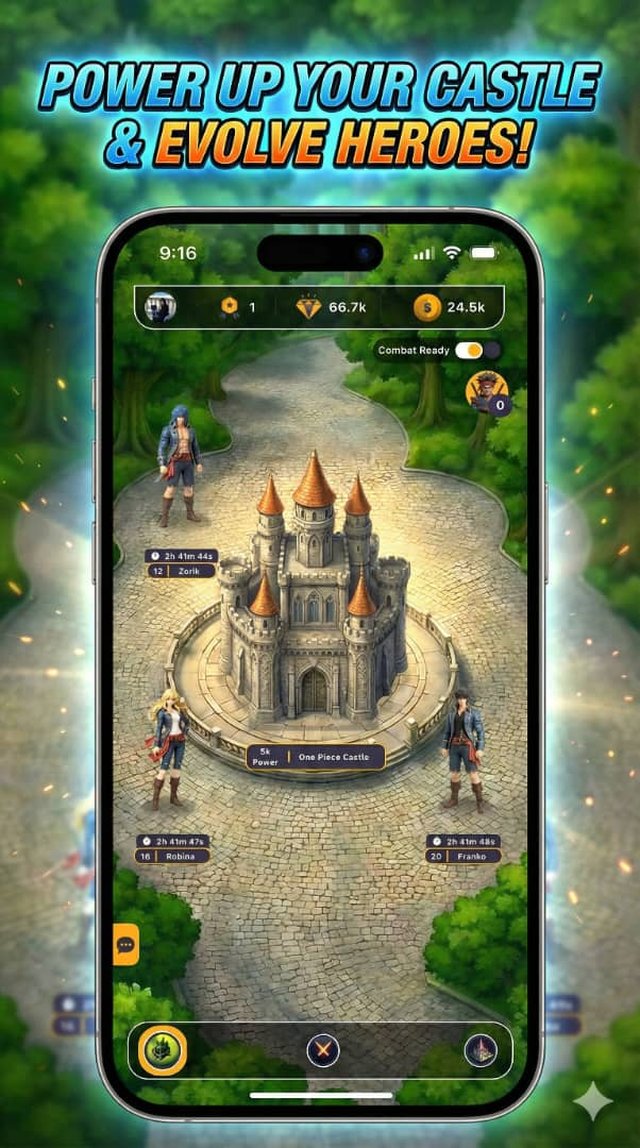
Castle and weapon timers
Read the castle’s current power before committing to a fight. A weapon timer and a castle recharge serve different purposes: one improves a weapon level, while the other restores a fixed amount of power after completion.
The sample image shows 5k castle power and several separate weapon timers. Those are example account values, not starting rewards or a recommended build. The top bar holds account balances; do not confuse the points balance with castle health.
Use the recharge budget calculator to estimate the points and time needed to reach your own target.
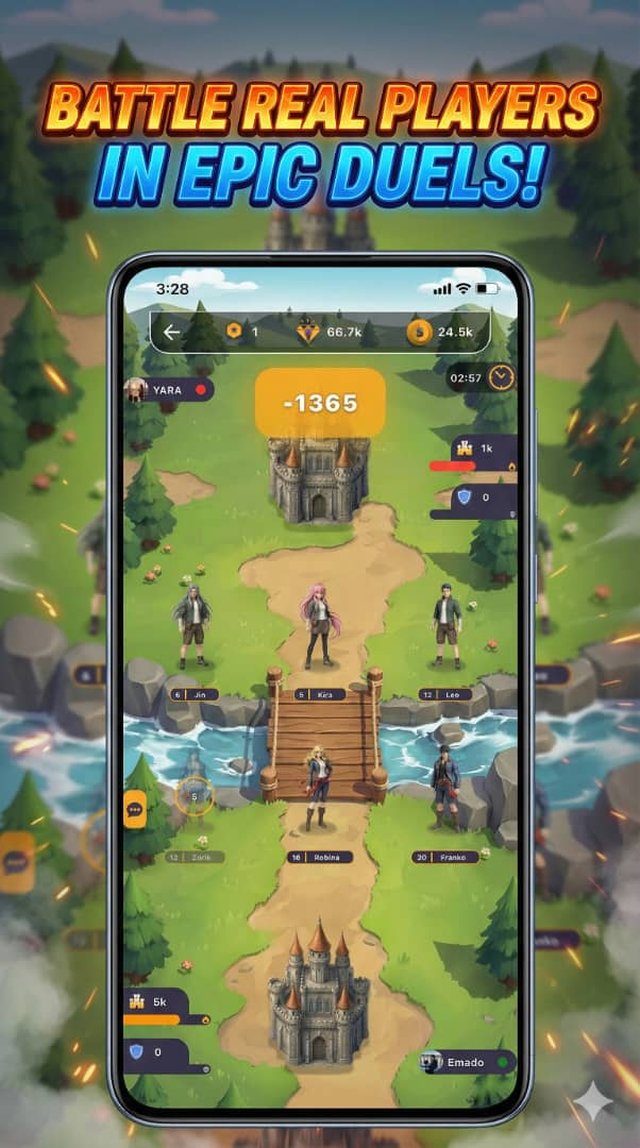
A player battle in progress
This is a player encounter rather than a monster drop screen. The countdown shows the remaining battle time; the damage number indicates an attack event. A single damage number is not the complete battle reward.
Use the final result to understand the outcome, and check remaining castle power before your next activity. An active player war prevents starting a monster encounter.
Compare player and monster battles before choosing which activity fits your goal.
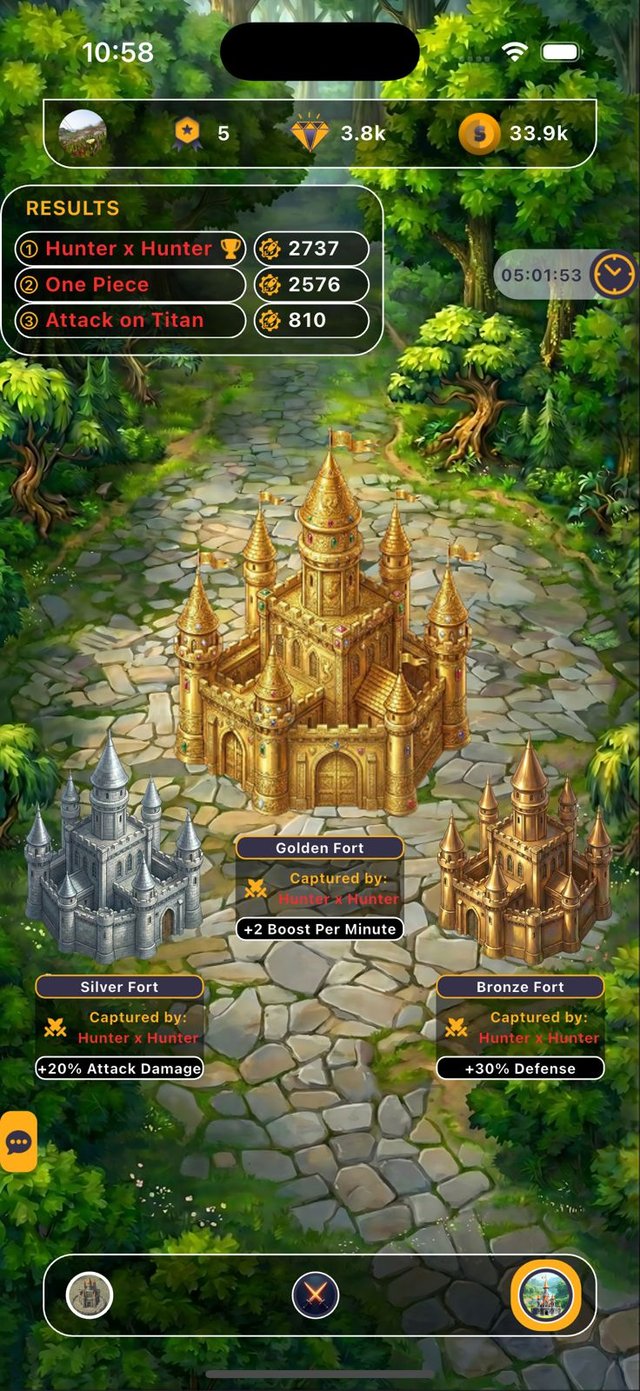
Fort ownership and results
The example shows an alliance owning all three forts. Silver is labelled +20% Attack Damage, Golden +2 Boost Per Minute, and Bronze +30% Defense. Ownership is the important condition: merely attacking a fort does not grant its benefit.
In the checked rules, Bronze’s defence effect reduces incoming damage by 30%. That is different from adding 30% to a health bar. The results panel summarizes alliance scores; it is not a promise of the personal points you will claim.
Read the fort and reward calculations to connect these labels with combat.
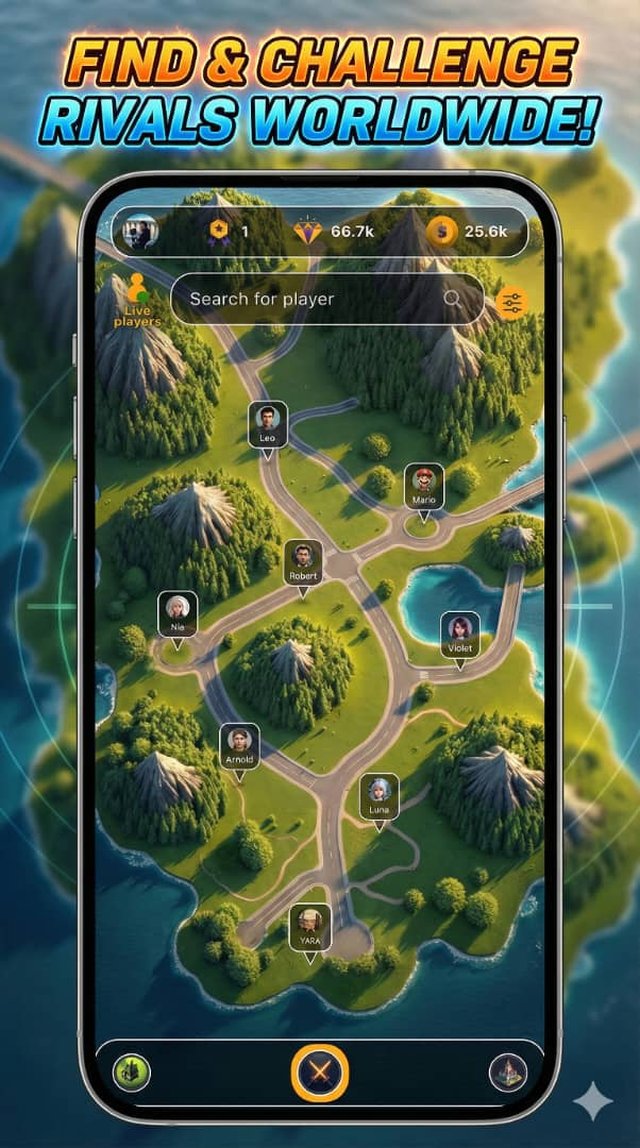
Finding a player on the map
Use the search field to find a named player instead of guessing from a marker’s location. The illustrated map is a game interface; it does not establish a player’s real-world location or readiness for a battle.
Before challenging someone, check your own current activity and castle power. If your alliance is coordinating a fort objective, read the plan before spending time on a separate encounter.
Plan a shared session or use the Player Guide to troubleshoot a blocked action.
Like what you see?
Call of Anime is free to play on iPhone, iPad, and Android.